Head-to-Head: Macbook Air 13 M4 2025 vs Macbook Air 15 2023 (Detailed Comparison)
The Apple MacBook Air has long stood as the gold standard for thin-and-light computing, striking a delicate balance between portable design and high-performance silicon. However, the current landscape presents a fascinating dilemma for prospective buyers. On one hand, we have the brand-new MacBook Air 13-inch equipped with the M4 chip (2025), representing the absolute cutting edge of Apple's consumer processing power. On the other, the MacBook Air 15-inch (2023) continues to be an immensely popular choice, offering a expansive canvas and a form factor that was previously reserved only for the much heavier and more expensive "Pro" lineup.
Choosing between these two machines isn't just a matter of picking the newest processor. It is a decision that involves weighing the benefits of a two-year-old chassis design with a massive screen against a significantly faster, more efficient, and AI-optimized internal architecture in a more compact frame. This comparison delves into the nuances of display real estate, thermal management, processing breakthroughs, and the shifting needs of users in an era where local AI processing has become a primary focus for Apple’s engineering teams.
The Evolution of the Air: Form vs. Force
To understand where these laptops sit in the market, we must look at their origins. The MacBook Air 15-inch (2023) was a landmark release because it finally gave "Air" users the screen size they had craved for a decade without the "Pro" weight. It utilized the M2 chip, which remains a very capable processor for daily tasks. Fast forward to 2025, and the MacBook Air 13-inch M4 brings us to the fourth generation of Apple Silicon for the Air line. This isn't just an incremental bump; the M4 architecture introduces significant changes in core efficiency and Neural Engine capabilities that redefine what a "base" laptop can do.
MacBook Air 13 M4 (2025): The Powerhouse in Your Pocket
The 2025 13-inch model maintains the iconic wedge-less, flat industrial design introduced during the M2 era, but its soul is entirely different. The M4 chip, built on a refined 3-nanometer process, brings a level of performance-per-watt that is frankly startling for a fanless machine. While previous iterations were often categorized as "productivity machines for students," the M4 version pushes into the territory of lightweight creative workstations.
One of the most significant upgrades in the M4 model is the unified memory architecture. Apple has finally moved away from the 8GB base model, starting the M4 Air with 16GB of unified memory as standard. This change is pivotal for the 2025 landscape, where operating systems and browsers are increasingly memory-hungry, and local AI features—branded as Apple Intelligence—require more headroom to operate smoothly without relying on the SSD swap file.
MacBook Air 15 (2023): The Desktop Replacement That Travels
The 15-inch model released in 2023 remains one of the best-designed laptops in Apple's history. By taking the thin profile of the Air and stretching it to accommodate a 15.3-inch Liquid Retina display, Apple created a machine that appeals to people who need to see more—be it spreadsheets, multiple browser windows, or video timelines—without the bulk of a 16-inch MacBook Pro. It runs on the M2 chip, which, while two generations behind the M4, is still more than enough for 90% of office and academic workflows.
The 15-inch chassis also allows for a larger battery and a more robust six-speaker sound system compared to the four speakers found in the 13-inch model. For many, the physical screen real estate and the superior audio experience outweigh the raw processing numbers of the newer, smaller M4 model.
Performance Comparison: M4 vs. M2
When comparing the M4 (2025) to the M2 (2023), we are looking at a gap that spans several years of architectural refinement. The M4 features a faster CPU (with higher clock speeds on both performance and efficiency cores) and a refreshed GPU architecture that supports hardware-accelerated ray tracing and mesh shading—features the M2 lacks.
In real-world use, this means the 13-inch M4 will feel noticeably snappier when exporting 4K video or batch-processing high-resolution images in Adobe Lightroom. More importantly, the M4's Neural Engine is nearly twice as fast as the one found in the M2. As Apple rolls out more complex AI features, such as advanced writing tools, image generation, and on-device Siri improvements, the M4 model is better equipped to handle these tasks without latency.
However, performance is not purely about the chip. Because both of these laptops are fanless (passive cooling), they rely on their aluminum chassis to dissipate heat. In sustained heavy workloads, the larger surface area of the 15-inch M2 model actually helps it stay cooler for longer before thermal throttling kicks in. While the M4 is more efficient, the 13-inch body has less area to bleed off heat, meaning that for a 30-minute video render, the gap between the two might be smaller than the benchmarks suggest.
Shop the latest Laptops & Computers picks on Amazon.
Shop Amazon →Display and Ergonomics: The Great Divide
The choice between a 13.6-inch and a 15.3-inch screen is the most immediate factor for most buyers. The 13-inch M4 model is the ultimate travel companion. It fits comfortably on airplane trays and slips into almost any backpack. The 15-inch model, while surprisingly light at 3.3 pounds, has a significantly larger footprint. It is often too large for small café tables or tight seating arrangements.
For those who spend their day in "split-view" mode, the 15-inch screen is a revelation. You can comfortably have a Word document on one side and a research browser on the other without feeling the need for an external monitor. The 13-inch model, while sharp and bright at 500 nits, often feels cramped for multitasking, requiring more frequent use of Mission Control to navigate windows.
Detailed Comparison Table
| Feature | MacBook Air 13 M4 (2025) | MacBook Air 15 M2 (2023) |
|---|---|---|
| Display Size | 13.6-inch Liquid Retina | 15.3-inch Liquid Retina |
| Processor | Apple M4 (Up to 10-core CPU/GPU) | Apple M2 (8-core CPU, 10-core GPU) |
| Base Memory | 16GB Unified Memory | 8GB Unified Memory (Configurable) |
| GPU Features | Hardware-Accelerated Ray Tracing | Standard M2 GPU |
| Neural Engine | 38 Trillion Ops/Sec (Optimized for AI) | 15.8 Trillion Ops/Sec |
| Audio | Four-speaker sound system | Six-speaker sound system with force-cancelling woofers |
| Battery Life | Up to 18 hours | Up to 18 hours |
| Weight | 2.7 lbs (1.24 kg) | 3.3 lbs (1.51 kg) |
| Connectivity | Wi-Fi 7, Bluetooth 5.3, 2x Thunderbolt 4 | Wi-Fi 6, Bluetooth 5.3, 2x Thunderbolt 3/USB 4 |
Pros and Cons
MacBook Air 13 M4 (2025)
- Pro: Extreme portability; the 2.7 lb weight is perfect for digital nomads and students.
- Pro: Future-proofed M4 silicon with dedicated support for advanced AI and ray tracing tasks.
- Pro: Higher base memory (16GB) ensures longevity and better multitasking out of the box.
- Pro: Updated connectivity with faster Wi-Fi protocols for future networking standards.
- Con: The smaller screen can feel restrictive for power users who don't use external displays.
- Con: Smaller chassis means the speakers lack the depth and bass of the larger model.
MacBook Air 15 (2023)
- Pro: Massive 15.3-inch display provides a "Pro" feel without the "Pro" price or weight.
- Pro: Best-in-class audio for a thin laptop; the six-speaker system is significantly richer.
- Pro: Larger trackpad offers a more comfortable navigational experience for long work sessions.
- Pro: Better thermal management due to the larger surface area of the aluminum body.
- Con: The M2 chip, while fast, is starting to age compared to M4's AI-focused architecture.
- Con: Lower base RAM (8GB) in many retail configurations is becoming a bottleneck in 2025.
- Con: Larger footprint makes it less convenient for use in cramped public spaces.
Real-World Use Cases: Which Style Suits You?
The "better" laptop depends entirely on how and where you spend your time. Below are three common personas and which machine serves them more effectively.
The Mobile Professional and Student
If your day involves bouncing between classrooms, coffee shops, and libraries, the 13-inch M4 is the clear winner. Its smaller size means it can be whipped out and put away in seconds. Furthermore, the M4's efficiency means you likely won't even think about your charger for a full 10-hour day of note-taking and web research. The addition of 16GB of RAM as base means you can have 50 Chrome tabs, a Zoom call, and a PDF editor open simultaneously without the system stuttering.
The Content Creator and Visual Tasker
If you are someone who edits video for social media, designs graphics in Canva or Figma, or simply works with large spreadsheets, the 15-inch M2 remains superior despite its older chip. The extra screen width allows for a timeline to be stretched out, or for two full-width columns in a spreadsheet to be visible without horizontal scrolling. While the M4 chip finishes a video export faster, the 15-inch model makes the process of editing that video significantly more comfortable for your eyes and posture.
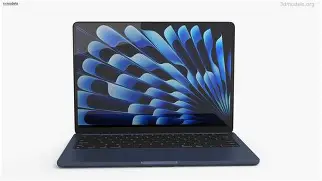
The Media Consumer and Home User
For those who use their MacBook primarily for watching movies, streaming music, and light personal tasks, the 15-inch M2 is incredibly compelling. The six-speaker system delivers a soundstage that legitimately fills a room, and the larger screen makes for a much more immersive cinematic experience. If the laptop spends 80% of its time on a kitchen counter or a coffee table, the added weight isn't a drawback, but the larger screen and better sound are constant benefits.
Buying Guide: Key Considerations for 2025
When shopping for these models today, several factors beyond the spec sheet come into play. Here is what you should consider before making the final call.
1. The RAM Requirement
The most significant shift in the 2025 laptop market is the transition of 16GB of RAM from a "luxury upgrade" to a "baseline necessity." Because the 13-inch M4 starts at 16GB, it offers better value for those worried about their laptop slowing down in three or four years. If you choose the 15-inch M2, try to find a configuration that was upgraded to 16GB. Avoid 8GB models if you plan on keeping the machine for more than two years.
2. AI and "Apple Intelligence"
Apple is heavily marketing the M4's ability to handle on-device AI. While the M2 is technically compatible with many Apple Intelligence features, the M4 was designed with these workloads in mind. If you are interested in using AI for generative writing, photo clean-up, and localized language models, the M4 provides a significantly smoother experience and will likely support more advanced "Siri" features that might be restricted to newer chips in the future.
Discover deals on Laptops & Computers — updated daily.
Browse Now →3. Portability vs. Screen Real Estate
Measure your favorite bag. It sounds simple, but the 15-inch Air is wide enough that it won't fit into many "standard" laptop compartments designed for 13 or 14-inch devices. Conversely, if you frequently find yourself leaning in closer to your screen to read small text, the 25% extra screen area on the 15-inch model will reduce eye strain over long periods. Consider if you will be using the laptop as your only screen, or if you have an external monitor at home.
4. Longevity and Software Updates
Apple typically supports its hardware with macOS updates for 7 to 8 years. Because the M4 is two generations newer than the M2, it is reasonable to expect that the 13-inch 2025 model will receive software updates for two years longer than the 15-inch 2023 model. This makes the M4 a better investment for someone looking to maximize the number of years they get out of a single purchase.
The Technical Edge: M4's Hidden Gems
While most users focus on CPU cores, the M4 architecture brings under-the-hood improvements that affect daily life. The Move engine is more efficient, meaning that high-bitrate video playback consumes even less battery than on the M2. The M4 also includes a more advanced display engine, which allows for better external monitor support—specifically handles high-refresh-rate 6K displays with more stability.

Furthermore, the M4's transition to Wi-Fi 7 is a massive "future-proof" feature. While Wi-Fi 7 routers are still becoming common, the protocol offers significantly lower latency and higher throughput. For those living in congested apartments or working in modern offices, this ensures that your wireless connection remains robust as networks evolve over the next half-decade.
Conclusion
The choice between the MacBook Air 13 M4 (2025) and the MacBook Air 15 M2 (2023) ultimately comes down to a choice between Cutting Edge Capability and Experiential Comfort.
The 13-inch M4 is undoubtedly the more "powerful" computer. It is faster, more efficient, better suited for the upcoming AI revolution, and comes with more memory as standard. It is the logical choice for the power user who travels, the student who needs a reliable four-year machine, and anyone who values the most advanced silicon Apple has to offer in their entry-level line.
The 15-inch M2, however, remains the more "enjoyable" computer for a large segment of the population. There is a physiological comfort to a 15-inch screen that no amount of CPU clock speed can replace. For the user who prioritizes screen real estate for productivity, a superior audio experience for media, and doesn't mind the slightly older (but still very fast) M2 architecture, the 15-inch model remains a stellar value proposition.
In 2025, the MacBook Air lineup is no longer a one-size-fits-all solution. Whether you choose the compact, AI-ready 13-inch M4 or the expansive, cinematic 15-inch M2, you are getting a machine that defines the pinnacle of modern laptop engineering. The best choice is the one that fits your specific environment: the tight quarters of world travel or the broad horizons of a dedicated workspace.